
How to send a suggestion to the Snad team
To send a suggestion to the Snad team, press the Your suggestion matters icon in the top bar. Write the Title, pick a Category, explain your idea in Details, then press Submit. Your suggestion reaches the Snad team for review.
In this guide5
Steps
Step 1: Open the suggestion form
On any page, press the lightbulb icon Your suggestion matters in the top bar, beside the notifications and shortcuts. Details

Image key - The Your suggestion matters icon
Step 2: Write the title
In Title, write a short line that sums up your idea, from 5 to 120 characters.
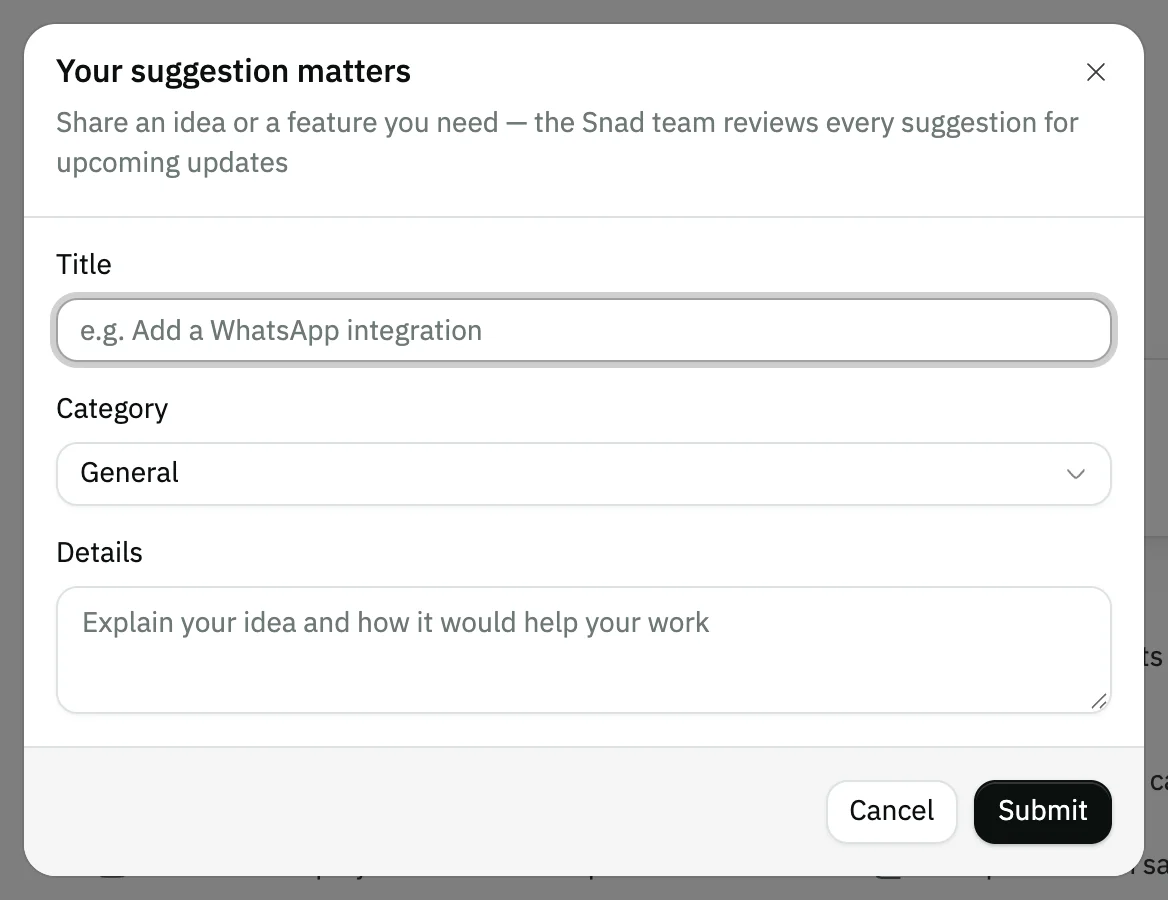
Image key - The Title field
Step 3: Pick the category
Open Category and pick the area closest to your idea, such as Sales or Reports. It starts on General. Details
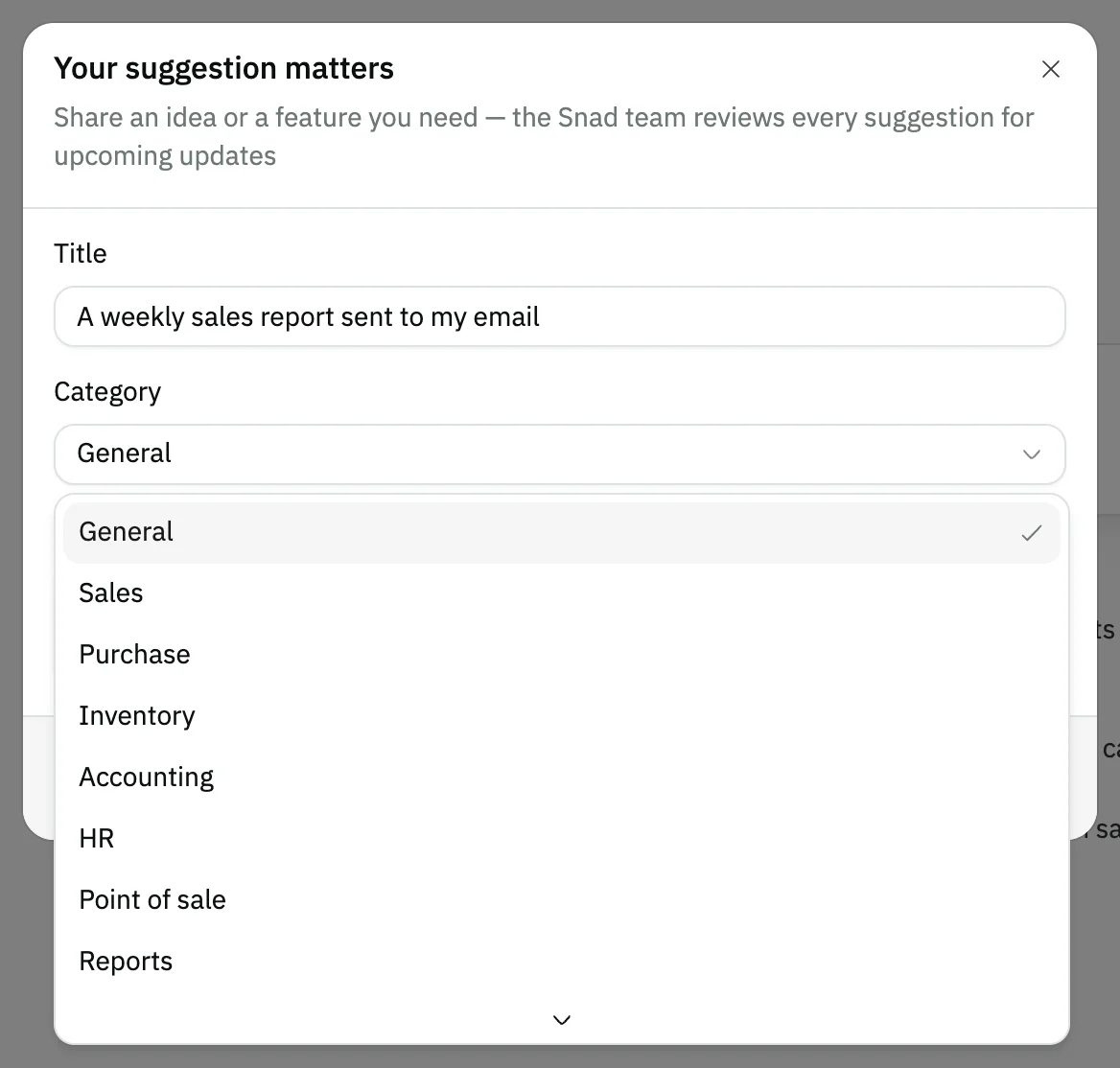
Image key - The Category list
- The Reports category
Step 4: Explain your idea
In Details, explain what you need and how it would help your work, from 10 to 2,000 characters.
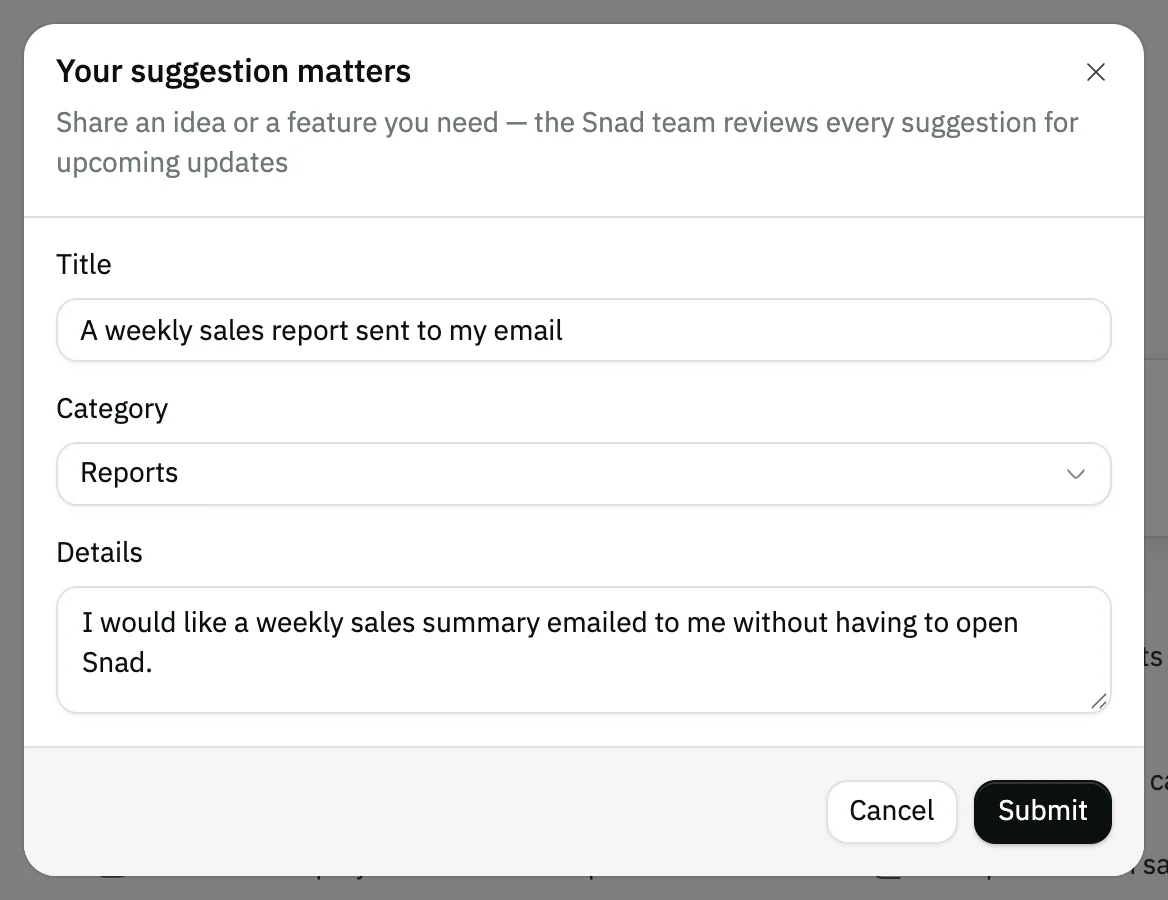
Image key - The Details field
Step 5: Submit the suggestion
Press Submit. The form closes and a thank-you message appears. If you change your mind, press Cancel and nothing is sent. Details
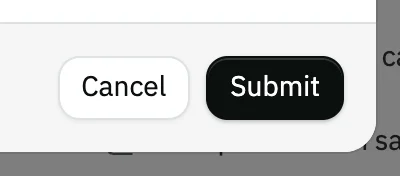
Image key - The Submit button
- The Cancel button
Messages that block saving
If saving fails, one of these messages shows next to the field. The table gives the cause and the fix.
| Message | Cause | Fix |
|---|---|---|
| «String must contain at least 5 character(s)» | Under Title: the title is empty or shorter than 5 characters. | Write a line that sums up your idea in at least 5 characters. |
| «String must contain at least 10 character(s)» | Under Details: the description is empty or shorter than 10 characters. | Explain what you need in at least 10 characters, then press Submit again. |
Advanced details
Each section here explains one point from the steps in depth. Every section has a fixed link you can share.
The available categories
The category says which area your idea is about. The options are General, Sales, Purchase, Inventory, Accounting, HR, Point of sale, Reports, Integrations, Mobile app and Other.
If no area fits, keep General or choose Other.
After you send: notifications and replies
Your suggestion reaches the Snad team, who review it. If the team changes its status or writes an official reply, you get a notification that opens the suggestion page.
On the suggestion page you read the Official reply from Snad if there is one, and add a comment with Post comment.
Follow all your notifications in follow your notifications, and choose what reaches you in notification preferences.
No lightbulb icon?
The icon shows in the top bar from a medium screen width up, and is hidden on a phone. Open Snad on a computer or widen the window.
The same bar holds the keyboard shortcuts (keyboard shortcuts).
Common questions
- How do I suggest a new feature in Snad?
- Press the Your suggestion matters icon in the top bar, write the Title and Details, pick the Category, then press Submit.
- Do I need a permission to send a suggestion?
- No. Every signed-in user can send a suggestion, with no special permission.
- How long should a suggestion be?
- The Title takes 5 to 120 characters, and Details takes 10 to 2,000 characters.
- How do I know the Snad team replied to my suggestion?
- You get a notification when the suggestion's status changes or an official reply is written, and it opens the suggestion page (notifications).
- I can't find the suggestion icon on my phone
- The icon is hidden on a phone. Use a computer or a wider screen and it shows in the top bar.