
How to set general settings in Snad
To set general settings in Snad, press Settings in the sidebar, then General settings. Under Date settings switch on Allow date changes where you want it, pick your alerts under Alert rules, and set the Daily alert cap. Every switch saves as soon as you change it.
In this guide5
Steps
Step 1: Open general settings
Press Settings at the bottom of the sidebar and it turns into the settings menu. Then choose General settings. Details
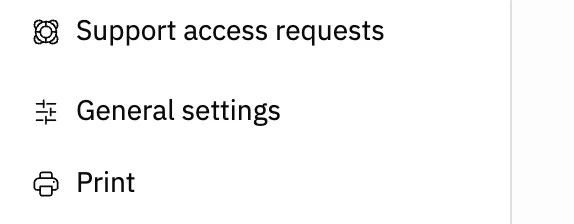
Image key - General settings in the settings menu
Step 2: Set date changes
Under Date settings are four Allow date changes switches, one each for Accounting, Sales, Purchases and Inventory. Switch on the ones you want. Details
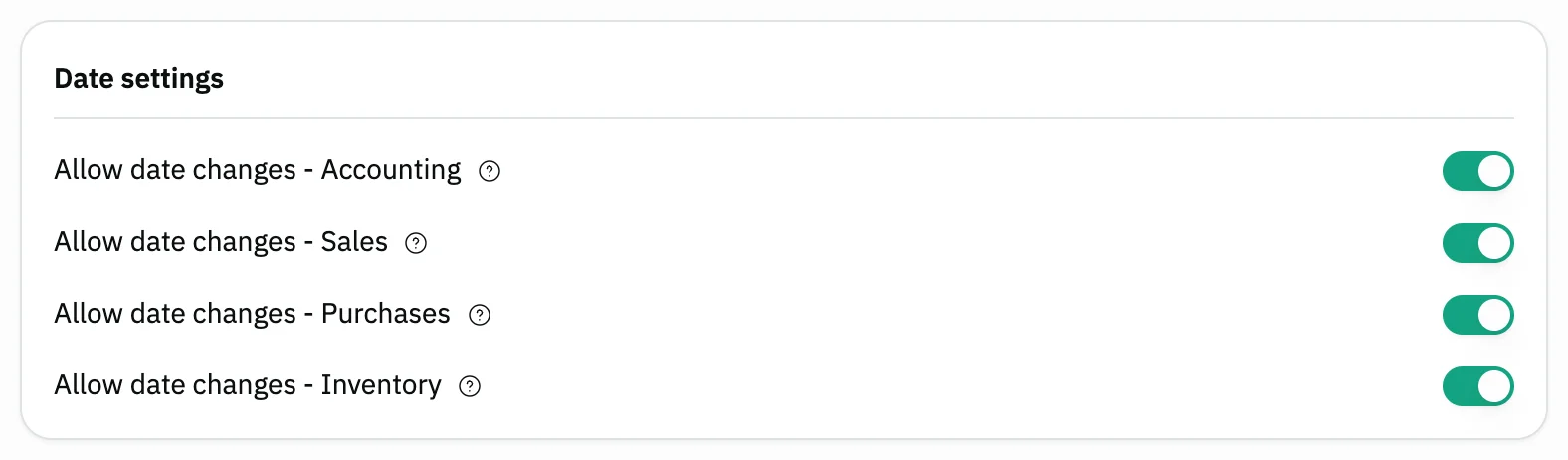
Image key - The Allow date changes switch for Sales
- The four switches
Step 3: Choose the alert rules
Under Alert rules, switch on what matters to you: Unusual discount, Expense spike, Low sales day, Near-duplicate supplier invoice. Details
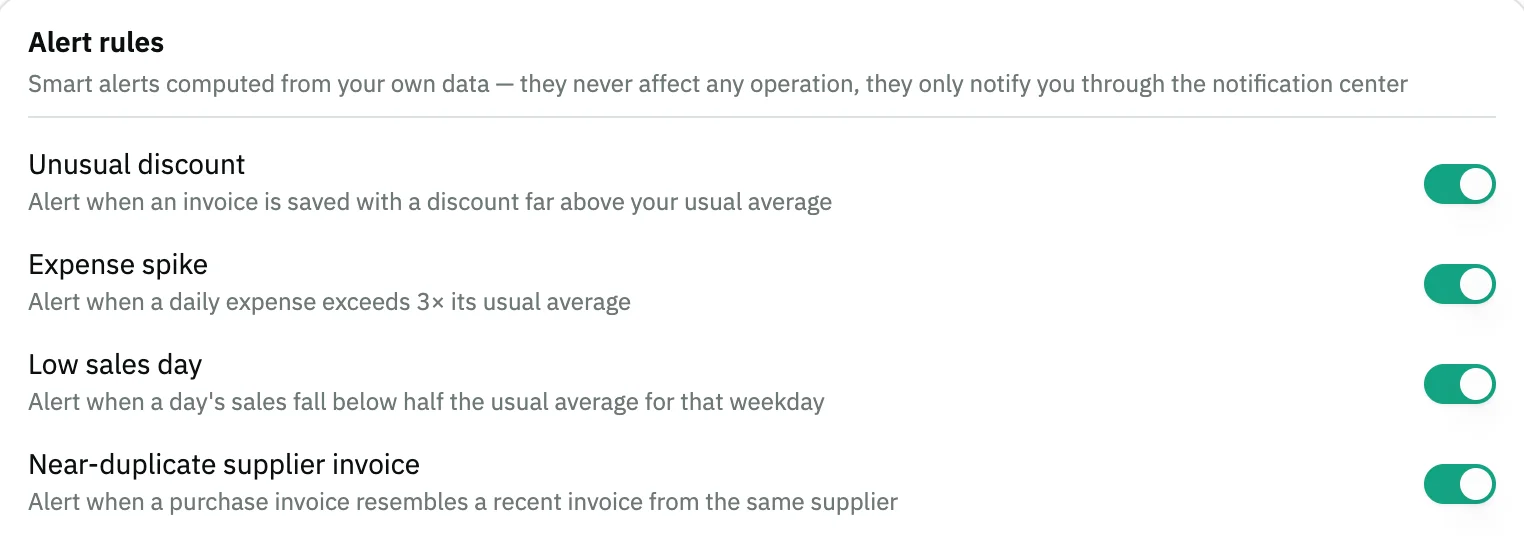
Image key - Unusual discount
- The four alert rules
Step 4: Set the daily cap
Under Noise control, pick the Daily alert cap from 3 to 50. Alerts won't go past that number in a day. Details

Image key - Daily alert cap
Step 5: Choose the costing method
On the Inventory costing method card, pick Last purchase price (the default) or Weighted average cost. Then press Confirm change in the window that opens.
Messages that block saving
If saving fails, one of these messages shows next to the field. The table gives the cause and the fix.
| Message | Cause | Fix |
|---|
Advanced details
Each section here explains one point from the steps in depth. Every section has a fixed link you can share.
What the date switch does
While the switch is off, the Date field on new documents of that section is locked and keeps its default, which is today. Switch it on to pick any date.
For example, the Sales switch controls the date of the sales invoice, quotation, refund and goods delivery note (how to create a sales invoice). The Purchases switch controls the purchase invoice and goods receipt, and the Inventory switch the stock transfer.
On a sales invoice, the date stays locked when you edit a saved invoice, even with the switch on.
What the alerts are
These are alerts Snad works out from your own data. They never affect any operation; they only notify you through the notification center (how to use notifications), and you choose what reaches you in notification preferences.
- Unusual discount: when an invoice is saved with a discount far above your usual average.
- Expense spike: when a daily expense exceeds 3× its usual average.
- Low sales day: when a day's sales fall below half the usual average for that weekday.
- Near-duplicate supplier invoice: when a purchase invoice resembles a recent invoice from the same supplier.
Saving is instant
This screen has no Save button. Each switch or list saves as soon as you change it, and changing an alert rule or the daily cap shows the message “Settings saved”.
The one exception is the costing method: it saves only after Confirm change, then shows “Costing method saved”, and the change is recorded in the activity log.
The settings that used to be here, such as the default customer, payment methods and wholesale prices in product info, now live in sales settings. For tax see set up tax, and for printing set up printing.
No General settings item?
The page needs the general settings permission. Without it you see an access-denied message, so ask your account admin to grant it.
Common questions
- How do I allow changing the invoice date in Snad?
- From Settings, choose General settings, and switch on the Sales Allow date changes switch under Date settings.
- Why is the date field locked on my invoice?
- Because the Allow date changes switch for that section is off. On a saved sales invoice the date is always locked.
- How do I turn off Snad's alerts?
- Switch off the matching switch for each rule under Alert rules, or lower the Daily alert cap under Noise control.
- Do I need to save the general settings?
- No. There is no Save button: every switch saves as soon as you change it. Only the costing method saves after Confirm change.
- What is the difference between last purchase price and weighted average cost in Snad?
- You hold 10 units at 100 and buy 10 at 120. With Last purchase price the cost becomes 120; with Weighted average cost it becomes 110. Earlier documents are not recalculated when you switch.